---
title: Tickets & Discount Code Enhancements
description: This document explains recent enhancements to ticket configuration, discount codes, and bulk import/export. You will learn how to configure ticket visibility when unavailable, set maximum discounts for bulk purchases, and use the new import/export page for tickets and discount codes.
---
[Skip to content](https://knowledgehub.crowdcomms.com/t#main-content)
[](https://crowdcomms.com/)
- Home
- Products
- Pricing
- Blog
- Company
Open main navigation
Close main navigation
- Home
- Products
- Pricing
- Blog
- Company
- Contact us
Contact us
How can we help you?
- There are no suggestions because the search field is empty.
1. [Knowledge Hub](https://knowledgehub.crowdcomms.com/?hsLang=en-gb)
2. [Pre Event Registration](https://knowledgehub.crowdcomms.com/pre-event-registration?hsLang=en-gb)
3. [Getting Started](https://knowledgehub.crowdcomms.com/pre-event-registration?hsLang=en-gb#getting-started)
6 October 2026
# Tickets & Discount Code Enhancements
### Step 1: Configure Ticket Visibility When Unavailable
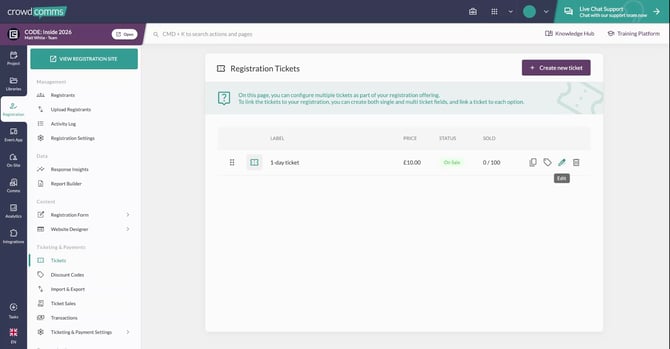
Go to your Tickets page and edit the relevant ticket.
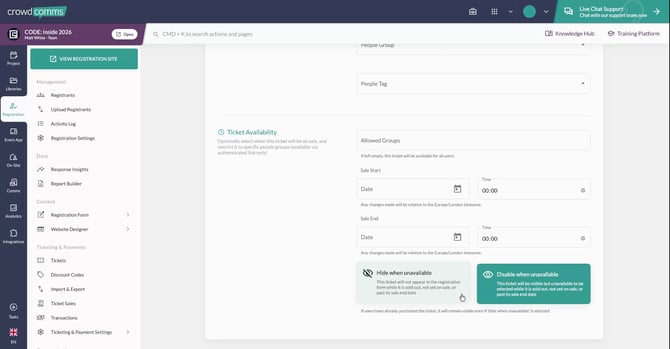
Near the bottom of the ticket settings, you will see two toggles: **“Hide when unavailable”** and “**Disable when unavailable**”.
- If you toggle **Disable when unavailable**, the ticket remains visible to delegates but appears grayed out and cannot be selected once sold out. This lets people see that the ticket existed, but they cannot purchase it.
- If you enable **Hide when unavailable**, the ticket is completely removed from the registration form when it is out of stock, so registrants will not see the ticket nor be able to select it.
### Step 2: Set a Maximum Discount for Discount Codes
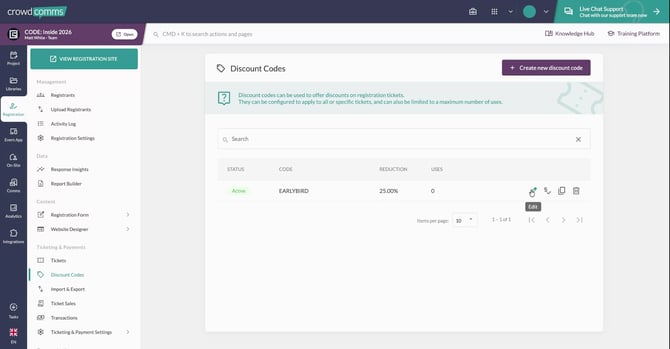
Open the **Discount Codes** section and edit a discount code.
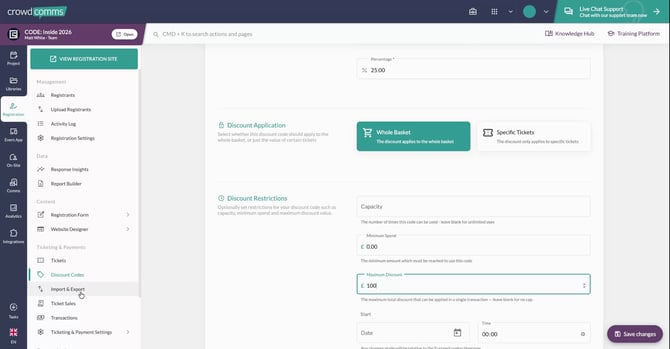
Within the discount code configuration, you will see a new **Maximum Discount** field.
Use this field to cap the total monetary value of the discount that can be applied, which is particularly useful for bulk ticket purchases.
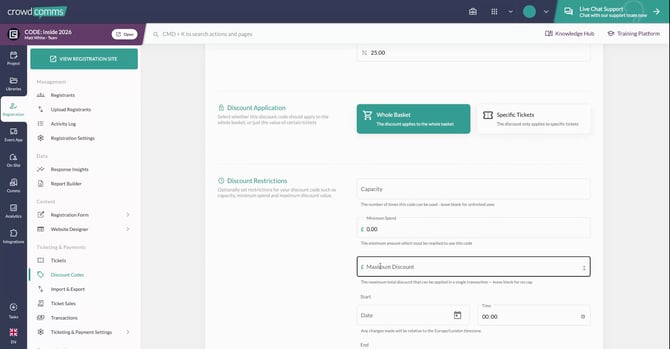
For example, if you have an **EARLYBIRD** code that gives **25% off** the entire basket, you can set a maximum discount of **£100** to the total price for the registration.
### Step 3: Use the Import and Export Page for Bulk Management
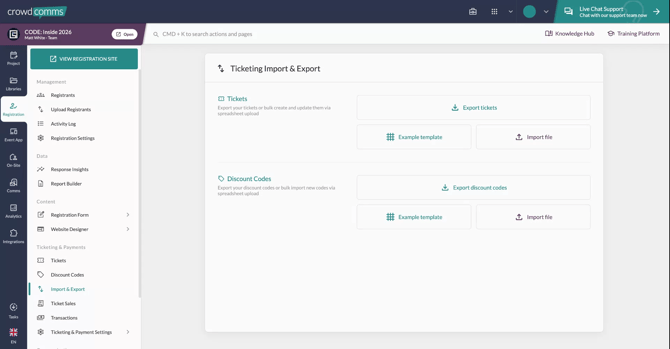
Navigate to the new **Import and Export** page.
Here you can **import** and **export** your tickets and discount codes for bulk uploading or editing, streamlining the setup and maintenance of multiple items at once.
[.svg "CrowdComms Logo")](https://www.crowdcomms.com/)
[mailto:email@email.com](mailto:email@email.com)
Copyright © 2026, CrowdComms